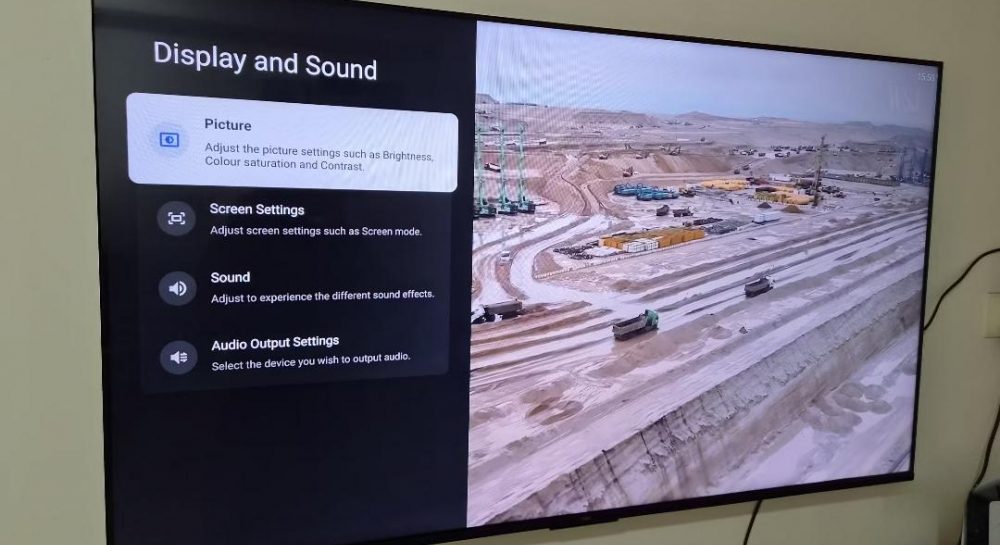
How to permanently fix stuttering video on your TV with a quick 30-second adjustment
Experts reveal the hidden cause behind motion judder in movies and show how a simple settings tweak can solve it.
 💡Tech
Photo: UNIAN
Key points
- Stuttering stems from a mismatch between 24fps media and 60/120Hz displays
- Enabling frame rate matching eliminates uneven motion artifacts
- Filmmaker mode prevents artificial motion smoothing effects
Many modern television owners frequently encounter an annoying stuttering effect while watching movies and TV shows. Viewers often mistakenly blame unstable internet connections or streaming service glitches for the poor playback. However, tech experts point out that the issue usually has nothing to do with your Wi-Fi.
The core of the problem
The root cause lies in a frame rate mismatch. The overwhelming majority of films and series are shot at 24 frames per second, whereas modern displays typically operate at a refresh rate of 60Hz or 120Hz. To bridge this gap, TVs use conversion techniques that display frames unevenly, creating micro-stutters during smooth camera pans.
How to fix it quickly
Resolving this annoyance takes about thirty seconds by tweaking the device's internal menus. Users simply need to enable the content frame rate matching option, which manufacturers often disable by default. This allows the TV to bypass artificial stretching and synchronize its refresh rate directly with the video source. Additionally, experts recommend enabling the Filmmaker mode to eliminate aggressive motion smoothing.
Source UNIAN — unian.ua/techno/gadgets/chomu-smikayetsya-zobrazhennya-na-televizor… ↗
Read next
 👥Society
Car Color as a Reflection of Personality: What Experts Say
Psychologists have explored how a car's color can characterize its owner, while noting that practical factors often outweigh personal preferences.
 🎭Culture & Sport
Paolo Bulgari passes away: Legacy of a legendary jeweler
Paolo Bulgari, former president of the jewelry house and grandson of its founder, has died in Rome at the age of 89.
 🇺🇦Ukraine
Debate over Polish airspace: reaction to Pawel Rybicki's statements
A Polish commentator accused Ukraine of ignoring Russian missiles heading toward Poland, but the claim faced widespread criticism, including from Polish citizens.
 🇺🇦Ukraine
Zelenskyy: China did not support Kremlin's attempts to initiate 'Yalta-2'
President Volodymyr Zelenskyy stated that Russia's attempts to redistribute global spheres of influence with China's support have failed.
 🛡️Security
Moldovan airspace violated again by a drone
On Saturday, November 21, a jet-powered UAV crossed the Moldovan border twice in a short period of time from the direction of Ukraine.
 💼Economy
Continuity of Struggle: How UPA Ideology Influences Modern UAF Units
The history of three generations of the Symchych family and the role of Yevhen Konovalets' ideological legacy in shaping modern combat units.